Top Maintenance Solutions to Extend Water Detector Lifespans in 2026
In the world of resource exploration and geological testing, an underground water detector is your bread and butter; it's a high-precision tool that you can't afford to have fail. Since we're in 2026, sensors are smarter, and IoT is everywhere, so keeping your gear accurate while cutting down on repair costs is the name of the game. Here is a 2026 "Top-Tier" maintenance guide to help you get the longest life out of your underground water detector and keep those breakdown rates low.

1. Build a Preventative Maintenance Routine
Clean the Sensor Electrodes Regularly: Your probes spend a lot of time in groundwater and mud, which leads to oxidation and mineral buildup. Pro tip: Every 24 hours of use, give them a wipe-down with a soft cloth and a specialized neutral cleaner.
Check the O-Rings: Leaky seals are the 1 reason circuits get fried. Give them a coat of silicone grease every quarter, and if you see even a tiny bit of wear and tear, swap them out immediately.
Baby Your Cables: Don't drag your signal cables over sharp rocks. When you pack them away, use the "large loop" method to keep the internal copper wires from snapping due to stress.
2. Special Care for High-End Gear (Pearldrill)
In our industry, Pearldrill underground water detectors are the gold standard for sensitivity and toughness. If you're running these, you need to be a bit more careful:
> Pro Tip: Pearldrill's high-precision sensors are static-sensitive. If you're taking it apart in a dry environment, wear an anti-static wristband to protect those core microchips.
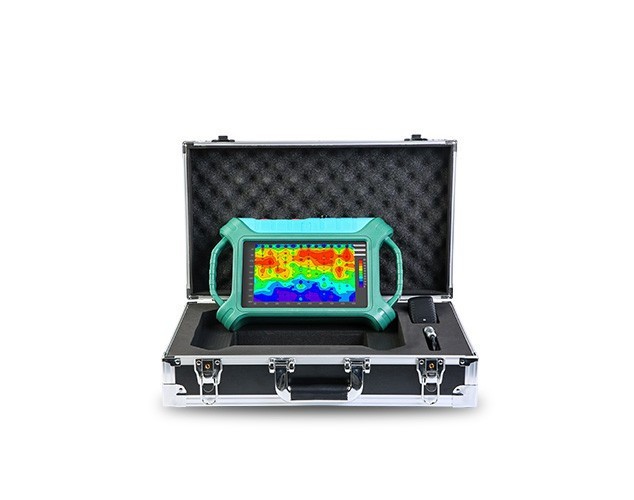
32-Channel High-Density Groundwater Detector
Click ☝☝☝
Also, Pearldrill units usually have a built-in self-calibration system. Make sure you send it back to an authorized center at least once a year for a firmware deep-dive. This optimizes how the device manages power, which can actually stretch your battery life by about 15%.
3. Managing the Elements
With the wild weather we have been seeing in 2026, how you store your gear matters more than ever:
Maintenance Item
|
Extreme Heat / Humidity
|
Freezing / Dry Conditions
|
Storage
|
Use a moisture-proof box with a dehumidifier.
|
Keep batteries out of sub-zero temps to avoid capacity loss.
|
Heat Management
|
Let it cool down after 2 hours of constant use.
|
Check the casing for tiny cracks caused by temp swings.
|
Interfaces
|
Watch out for rusty metal contacts.
|
Keep an eye on static interference on touchscreens.
|

4. Software and Data Health
Keeping a device "healthy" isn't just about the hardware; it's about the data accuracy.
1. Zero-Point Calibration: Before any big job, always calibrate the "zero point" in a controlled environment to prevent data drift.
2. Clean Out Your Data: Don't let old files pile up. A clogged memory slows down the processor and can even lead to read/write errors. Move your data to the cloud or a hard drive regularly.
The Bottom Line:
A solid maintenance plan can extend your equipment's life by 30% to 50% and save you from a massive, expensive headache on the job site. Whether you're using standard gear or a pro brand like Pearldrill, the golden rule remains: Check it often, store it right, and calibrate it perfectly.
Contact us
Want to Know More About How a Particular Detector Works? Contact Us Today!